

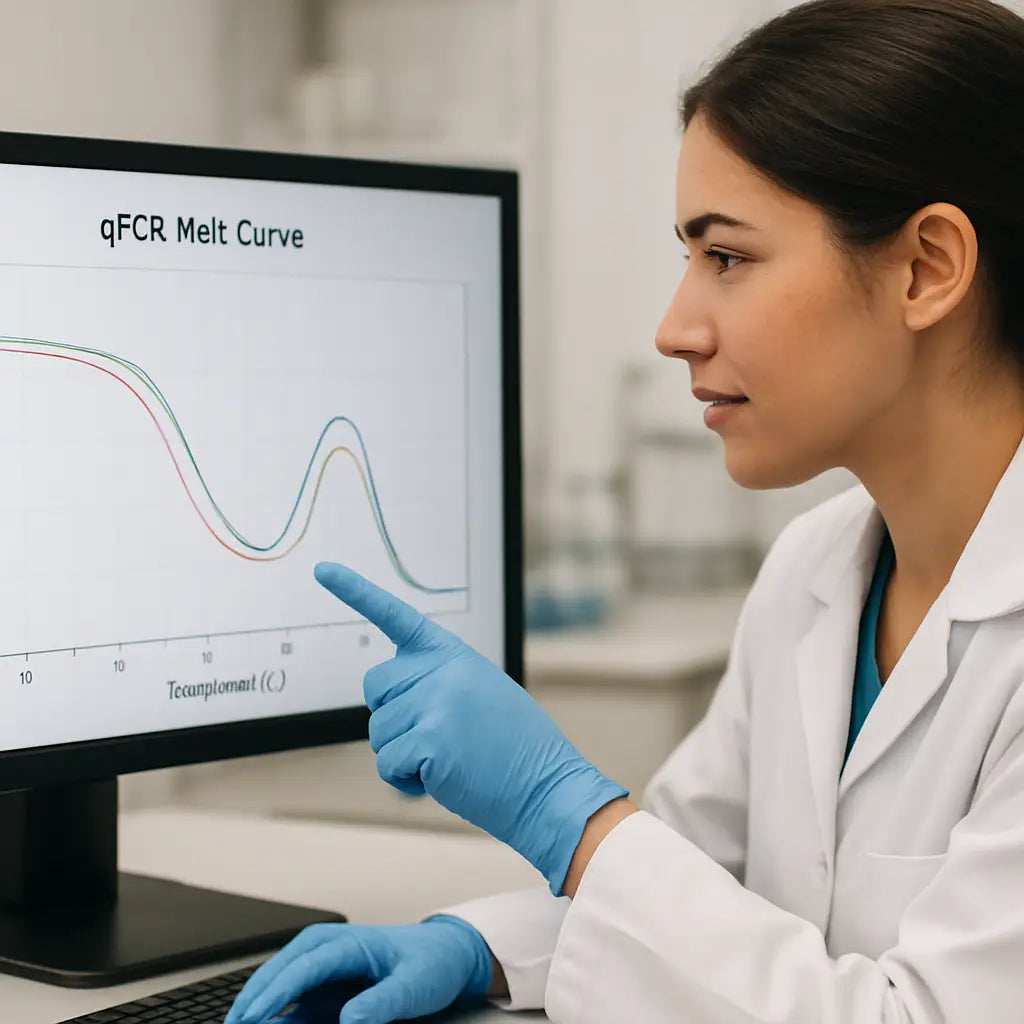
Ever stared at a qPCR melt curve and felt that sudden brain‑freeze when a mysterious shoulder‑peak pops up?
You're not alone—many researchers in university labs, biotech start‑ups, and even CROs hit that same wall. That extra bump can mean nonspecific amplification, primer‑dimer, or a subtle mutation you didn't expect.
So why does melt curve analysis matter? In simple terms, it lets you watch DNA melt in real time and double‑check that the product you just amplified is exactly what you intended. No more guessing whether your SYBR‑Green signal is clean or cluttered.
Imagine you’re running a gene‑expression assay for a clinical sample. You see a single, sharp melt peak at 78 °C and breathe a sigh of relief. Then, the next run shows a tiny second peak at 72 °C. That tiny peak could be the difference between a reliable diagnostic result and a false alarm.
We've seen labs waste hours re‑optimizing primers because they missed that second peak the first time. The good news? A solid melt‑curve workflow can catch those issues before you move on to data analysis.
Here's a quick mental checklist: make sure your PCR mix is fresh, use a proper annealing temperature, and run a melt from 60 °C up to 95 °C with a gentle ramp. Keep the fluorescence reading steady and watch the derivative plot for any extra bumps.
Does this sound familiar? If you’ve ever wondered how to turn those confusing curves into clear, actionable data, you’re in the right place. In the sections ahead we’ll break down each step, from sample prep to interpreting the derivative peaks, so you can trust every melt you see.
Ready to turn those shaky curves into confidence? Let’s dive into the details and get your qPCR melt curve analysis working like a charm.
Stick with us, and you’ll soon be spotting perfect peaks like a pro.
TL;DR
In qPCR melt curve analysis, spotting a single sharp peak means clean amplification, while any extra bump signals nonspecific products or primer‑dimers that can ruin your data.
Follow our quick checklist—fresh mix, proper annealing temperature, gentle 60‑95 °C ramp, steady fluorescence—to catch those hidden peaks early and trust every result reliably.
Step 1: Preparing Your qPCR Samples
Before you even think about the melt curve, the quality of the material you put into the plate decides whether you’ll see a clean, single peak or a confusing jumble of bumps. It’s kind of like making coffee – if the beans are stale, no amount of fancy brewing will save the cup.
First up, quantify your template. Use a NanoSpectrophotometer or a fluorometer to get an accurate concentration. Aim for 10‑50 ng of DNA per 20 µL reaction for most SYBR‑Green assays. If you’re working with RNA, remember to run a DNase step so you don’t carry over genomic DNA that could show up as a rogue melt.
Next, check purity. A 260/280 ratio around 1.8 for DNA (or ~2.0 for RNA) tells you the sample is clean. Anything lower and you might have protein or phenol contamination – both can interfere with fluorescence and give you that dreaded shoulder‑peak.
Now, the master mix. Freshly prepared reagents are a non‑negotiable rule. Even if you’ve stored your mix for a week, the dNTPs can degrade and magnesium ions can precipitate. In our experience, pulling a fresh batch each month keeps the melt curves reliable. For a quick recipe, see our guide on how to create an accurate PCR master mix.
When you aliquot the master mix, use low‑retention tips and keep everything on ice. This prevents premature enzyme activity and keeps the reaction components homogeneous. Pipette the mix into each well first, then add the template last – that way you avoid creating bubbles that can scatter the fluorescence signal.
Labeling is often overlooked, but it’s crucial for reproducibility. Clear, durable labels help you track which sample is which, especially when you run dozens of plates in a day. If you need sturdy, custom‑printed labels that won’t fade under the thermal cycler, check out custom lab labels – they’re cheap and stick well.
Once the plate is set, give it a quick spin in a micro‑centrifuge to collect any droplets from the sides. A quick 1,000 × g spin for 10 seconds is enough. This step prevents uneven heating and keeps the fluorescence reading consistent across wells.
Before you seal the plate, make sure you’re using a compatible optical seal that can withstand the 95 °C melt. Some cheap seals melt themselves and introduce background fluorescence. We recommend a low‑E optical film; it’s an extra cost but saves you a lot of troubleshooting later.
Now that the samples are ready, you might wonder how to keep everything organized in the lab notebook. If you’re a student or early‑career researcher, having a solid study plan helps. The site genetics study resources offers templates for experiment logs and tips on documenting melt‑curve parameters.
Ready to see the melt in action? Below is a short video that walks through loading the plate and starting the melt curve on a common qPCR instrument.
After the run, export the melt data as a CSV and open it in your favorite analysis software. Look for a single, sharp derivative peak – that’s the sweet spot. If you see a second, lower‑temperature peak, go back and double‑check your template purity or primer design.

Quick checklist before you hit “Start”:
- Template quantified and pure (260/280 ~1.8‑2.0).
- Fresh master mix prepared with correct MgCl₂ concentration.
- Low‑retention tips, keep everything on ice.
- Custom, heat‑stable labels applied.
- Plate spun down, sealed with optical film.
Follow these steps, and you’ll walk into the melt‑curve stage with confidence, not dread. Your downstream data will thank you.
Step 2: Setting Up the Melt Curve Run
Now that your plate is loaded and everything's labeled, it’s time to tell the machine how to melt.
First, open the qPCR software and select the melt‑curve module. Most instruments call it “SYBR‑Green Melt” or “Dissociation Curve.” If you’re using a brand‑agnostic platform, you’ll see a simple wizard that asks for start temperature, end temperature, and ramp rate.
We usually start at 60 °C – that’s warm enough to keep the double‑stranded product intact but low enough to avoid any premature fluorescence drop. From there we ramp up to 95 °C. Why 95? That’s the point where virtually every amplicon is single‑stranded, giving you a clean baseline.
The ramp speed matters more than you think. A gentle 0.5 °C per second (or 0.5 °C per cycle) lets the instrument collect enough data points to draw a smooth derivative curve. If you crank it to 2 °C per second, you’ll get a jagged plot and might miss that subtle shoulder you’re trying to catch.
So, what should the settings look like? Here’s a quick checklist you can copy‑paste into your notebook:
- Start temperature: 60 °C
- End temperature: 95 °C
- Ramp rate: 0.5 °C per step (≈0.5 °C/sec)
- Fluorescence acquisition: at each temperature increment
- Data smoothing: enable if your software offers a 5‑point moving average
Once those numbers are in, hit “Run” and let the thermal cycler do its thing. You’ll see the fluorescence drop in real time – it looks like a slow sunset on the screen. The software will automatically calculate the derivative (–dF/dT) and display one or more peaks.
If you’re seeing more than one peak, pause for a second. A second peak could be primer‑dimer, a nonspecific product, or simply a GC‑rich region melting earlier. The good news is you can troubleshoot without re‑running the whole plate.
A handy trick is to run a melt curve on a known positive control side‑by‑side with your unknowns. That way you have a reference Tm to compare against. In our experience, a difference of ±0.5 °C is usually acceptable; anything larger deserves a closer look.
Need a visual refresher? Watch this short video that walks you through the software setup step‑by‑step.
Notice how the instructor sets the start at 60 °C and selects a 0.5 °C increment. The same settings work for most SYBR‑Green assays, whether you’re analyzing a housekeeping gene in a clinical sample or a plant pathogen in an agricultural lab.
Now, let’s talk about quality controls. Always include a no‑template control (NTC) and, if you’re amplifying cDNA, a –RT control. When the melt curve runs, compare the NTC’s fluorescence trace to your samples. If the NTC shows a peak around 72 °C, that’s classic primer‑dimer – lower the primer concentration or bump up the annealing temperature.
Another tip: make sure the plate lid is tightly sealed. Air bubbles can cause uneven heating and generate artificial spikes in the curve. A quick spin at 1,000 rpm for 10 seconds after sealing usually evens things out.
Finally, save the raw melt data. Most software lets you export a CSV file with temperature vs. fluorescence. Having the numbers lets you re‑plot in third‑party tools like UMelt (a free prediction program) if you ever need to double‑check the shape of your peaks. The MR DNA’s melt‑curve optimization guide gives a solid overview of why that step is valuable.
Step 3: Interpreting Melt Peaks and Tm Values
What the derivative plot is really showing
When the instrument finishes the melt ramp, it flips the raw fluorescence into a –dF/dT curve. That derivative plot is where the magic (or the trouble) lives – each spike represents a temperature where a chunk of double‑stranded DNA finally gives way.
If you’ve ever stared at a smooth, single bell‑shaped peak, you’ve already seen the ideal case: one amplicon, one melting transition, one clean Tm. That’s the “everything is perfect” moment most of us chase.
Decoding the Tm number
Tm (melting temperature) is simply the temperature at the top of the peak. In practice it’s your quick sanity check. For a well‑designed SYBR‑Green assay, the Tm should land within a narrow window you’ve predicted from the primer design – usually plus or minus 0.5 °C.
When the observed Tm drifts, ask yourself: did the amplicon length change? Did the GC content shift because of a SNP or a splice variant? Or did something else – like a lingering primer‑dimer – sneak into the reaction?
Extra peaks: friend or foe?
Seeing a second bump can feel like a red flag, but it isn’t always a deal‑breaker. The IDT guide points out that a single amplicon can still produce a multi‑phase melt if the sequence has a G/C‑rich stretch that holds together longer than the surrounding A/T‑rich region.Read more about why a single product can show two peaks. In that case the shoulder is an intermediate state, not a contaminant.
However, a classic primer‑dimer shows up as a low‑temperature peak (often around 70‑75 °C) that’s much smaller and broader than the main amplicon. If the NTC mirrors that peak, you’ve got a contamination problem.
Practical checklist for interpreting your melt
- Zoom in on the derivative plot – the highest peak is usually your target.
- Compare the Tm to the value you expected from the primer design software.
- Look for shoulders or secondary peaks: are they <0.5 °C away (likely an intermediate) or >2 °C away (possible non‑specific product)?
- Check the NTC trace – any peak there means you need to clean up primers or reagents.
- If you’re unsure, run a quick agarose gel or use a prediction tool like uMelt to see whether the shape matches a single product.
When to trust the melt and when to double‑check
In most academic labs, a single sharp peak within the expected Tm window is enough to move on to quantification. In clinical or CRO settings, you might want a second line of evidence – a gel or a sequencing check – before reporting results.
For biotech startups that are scaling up, the time saved by trusting a clean melt can be huge, but the cost of a false‑positive is even bigger. A quick visual of the melt curve, followed by a one‑minute check of the NTC, is a low‑effort safety net.
Actionable next steps
Take a fresh look at the last melt you ran. Note the Tm of the main peak and any side peaks. Jot down whether those side peaks appear in the NTC. If they do, lower your primer concentration by 10 % and run the melt again.
And if the main peak is where you expect it but you still see a tiny shoulder, pull up the amplicon sequence and run it through a free melt‑prediction tool. That little extra step often clears up whether you’re dealing with a genuine intermediate or a hidden contaminant.
Step 4: Troubleshooting Common Melt Curve Issues
Ever run a melt curve that looked like a mountain range instead of a single smooth hill? You’re not alone. Those extra bumps are usually screaming for a quick fix, and the good news is you can often solve them without re‑running the whole plate.
Spot the classic culprits
First, ask yourself: is that low‑temperature shoulder showing up in the no‑template control (NTC)? If yes, you’re probably looking at primer‑dimer. If the NTC is clean, the shoulder might be a real secondary product or a GC‑rich sub‑region melting earlier.
Here’s a quick mental checklist you can keep on your lab bench:
- Does the extra peak appear below 75 °C?
- Is it present in every replicate?
- Do you see a corresponding band on a quick agarose gel?
Answering those three questions narrows the problem down in seconds.
Adjust primer concentration
If primer‑dimer is the suspect, dial the primer mix back by about 10‑20 %. In our experience with academic labs, that small tweak often eliminates the low‑temperature bump without sacrificing efficiency.
Don’t forget to re‑validate the annealing temperature after you change the primer amount – a 1‑2 °C increase can also suppress nonspecific amplification.
MgCl₂ and polymerase tweaks
Magnesium is the silent driver of melt‑curve shape. Too much MgCl₂ stabilizes mismatched duplexes, which can create shoulders. Try dropping the MgCl₂ concentration by 0.5 mM and see if the curve sharpens.
If you’re using a hot‑start polymerase, make sure the activation step is long enough. A half‑second shortcut can leave residual enzyme activity that fuels side products.
Template quality matters
Crude DNA extracts sometimes carry inhibitors that stall the polymerase mid‑run, leading to incomplete products that melt at odd temperatures. A quick spin‑column cleanup or a fresh Qubit quantification can rescue the melt.
Even a tiny amount of genomic DNA contamination in an RNA‑only assay can generate a secondary peak. Double‑check your DNase step if you’re working with cDNA.
When to call in a melt‑prediction tool
If the main peak is where you expect it but you still see a shoulder, copy the amplicon sequence into a free melt‑prediction program like uMelt. Compare the predicted curve to your real data – if they match, the shoulder is likely an intermediate melt of a GC‑rich region, not a contaminant.
That extra step takes under two minutes but can save you a whole re‑run.
Quick decision table
| Issue | Likely Cause | Fast Fix |
|---|---|---|
| Low‑temp peak (~70‑75 °C) | Primer‑dimer or NTC contamination | Reduce primer concentration; run fresh NTC |
| Shoulder near main Tm | GC‑rich sub‑region or partial product | Check melt‑prediction tool; adjust MgCl₂ |
| Extra high‑temp peak (>90 °C) | Non‑specific long product or primer‑dimer extension | Increase annealing temperature; verify primer design |
Take a moment after each run to copy the Tm values into a notebook. Jot down whether any side peaks showed up in the NTC and what you changed. That habit turns a one‑off mystery into a repeatable troubleshooting workflow.
And remember, you don’t have to reinvent the wheel. Platforms like Shop Genomics make it easy to restock fresh primers or grab a new low‑binding plate lid when you suspect contamination. A quick swap can often clear up stubborn melt artifacts.
So, what’s your next move? Scan the derivative plot, match the pattern to the table, and apply the smallest tweak first. Most melt‑curve headaches disappear after one or two adjustments, letting you get back to the data you actually care about.
Step 5: Advanced Applications – Genotyping and SNP Detection
Alright, you’ve got clean melt curves, so now it’s time to ask the big question: can we tell a single‑letter change apart? That’s where genotyping and SNP detection step in, and melt‑curve analysis is actually a surprisingly cheap way to do it.
Why melt curves work for SNPs
Every base pair has a slightly different melting temperature. If you swap an A for a G in the middle of your amplicon, the Tm will shift by about 0.5 °C‑1 °C. The derivative plot will show two peaks – one for the wild‑type, one for the variant – or a single peak that’s a bit broader.
So, if you know the expected Tm of your reference product, you can spot a deviation without sequencing. It’s a trick that academic labs love because it saves time and money.
Step‑by‑step: setting up a SNP melt assay
1. Design allele‑specific primers. Aim for 18‑22 nt primers that flank the SNP by 50‑100 bp. The SNP should sit roughly in the middle of the amplicon – that gives the biggest melt shift.
2. Run a melt curve on a control sample. Use a known wild‑type DNA to record the baseline Tm. Write that number down; you’ll compare every unknown to it.
3. Include a heterozygous control. Mix equal amounts of wild‑type and mutant DNA. The melt will usually show a “dual‑peak” or a broadened peak, letting you see what a heterozygote looks like.
4. Set the instrument to high resolution. Choose a ramp of 0.1 °C per second and enable a 5‑point moving average. The finer the data, the easier it is to separate peaks that are only 0.3 °C apart.
5. Analyze the Tm shift. If your sample’s peak is within ±0.2 °C of the wild‑type, call it homozygous reference. A shift of +0.6 °C (or –0.6 °C) means homozygous variant. Anything in‑between is likely heterozygous.
Real‑world example
Imagine a CRO that screens a panel of pharmacogenomic SNPs before a clinical trial. They set up a 96‑well plate with each assay in duplicate, run the melt, and get results in under an hour. No need for separate Sanger runs unless the melt is ambiguous.
In our experience with university labs, a simple melt‑curve genotyping assay cut down validation time for a mouse model from weeks to days. The key was consistent MgCl₂ concentration and a fresh master mix – anything else just adds noise.
Tips to avoid false calls
- Keep primer dimer below 1 % of total fluorescence – otherwise you’ll see a low‑temp peak that can masquerade as a SNP.
- Double‑check the amplicon length; longer products give bigger melt shifts but also broader peaks.
- Run each assay at the same annealing temperature you used for the original melt‑curve troubleshooting – that keeps the baseline stable.
- If you see a “shoulder” instead of a separate peak, run the product on a 2 % agarose gel. A single band means the shoulder is likely an intermediate melt, not a real variant.
Putting it into your workflow
After the melt, export the temperature‑vs‑fluorescence CSV and feed it into a spreadsheet. A simple formula can flag any Tm that deviates more than 0.3 °C from the control. Mark those wells, repeat the assay, and you’ve got a robust genotyping pipeline.
Remember, melt‑curve SNP detection isn’t a replacement for full sequencing when you need absolute certainty. But for quick screens – think plant breeding, pathogen strain typing, or clinical pharmacogenomics – it’s a perfect first pass.
So, grab your primers, set that high‑resolution ramp, and let the DNA do the talking. A few minutes of melt data can give you the genotype you need, without the headache of extra downstream steps.
Step 6: Best Practices for Data Reporting
Okay, you’ve run the melt, you’ve got those peaks, and now you’re staring at a spreadsheet full of numbers. It can feel a bit like trying to read a foreign language, right?
First thing’s first – give your data a quick sanity check. Pull out the temperature‑vs‑fluorescence CSV you exported earlier and scan the Tm column. Anything that jumps more than ±0.5 °C from your control? Flag it. That little habit saves you from chasing ghosts later.
1. Keep a clean, reproducible file structure
We all know the pain of a mis‑named file that makes you lose hours. Create a folder for each run, label it with the date, plate ID, and assay version. Inside, drop the raw CSV, a short “run log” (who ran it, which instrument, any quirks), and a copy of your analysis script. When you look back months later, you’ll thank yourself.
And if you work in a CRO or a busy core facility, a shared drive with read‑only permissions for the raw data keeps everyone on the same page.
2. Automate the Tm‑flagging step
Instead of eyeballing each row, use a simple Excel formula or a short Python snippet:
=IF(ABS(A2‑$A$1)>0.5,"Check","OK")
Replace A2 with the sample’s Tm and $A$1 with the control Tm. The result is a column that instantly tells you which wells need a repeat. You can even set conditional formatting to turn “Check” cells bright red – visual cues work wonders.
Does this feel like extra work? Trust me, the time you spend now pays back in minutes saved later.
3. Document your interpretation criteria
Write down exactly how you decide if a peak is “real” or “noise.” For example:
- Single sharp peak within expected Tm ± 0.3 °C → call it clean.
- Secondary peak >2 °C away → consider nonspecific product.
- Shoulder <0.5 °C from main peak → treat as intermediate melt.
Having this checklist in your lab notebook (or a shared Google Doc) makes it easy to onboard new technicians and keeps interpretations consistent across projects.
4. Use a reference panel for each assay
Run a known wild‑type sample and, if possible, a synthetic mutant alongside every batch. The difference in Tm between them becomes your internal calibration curve. In a recent study on RT‑qPCR melt‑curve analysis for SARS‑CoV‑2 variants, researchers showed that having these controls boosted both sensitivity and specificity, especially when viral loads were low.
Even if you’re not tracking COVID‑19, the principle holds: a reliable control anchors your data.
5. Report the full melt profile, not just the Tm
When you write up results for a paper or a lab report, include a small plot of the derivative curve. It lets reviewers see the shape of the peak – a single bell vs. a jagged double‑bump. If space is tight, a cropped image of the key wells does the trick.
And don’t forget to attach the raw CSV as supplementary material. Transparency builds trust, especially with collaborators in academic institutions or clinical labs.
6. Store data in a searchable database
If you run dozens of plates a week, a simple SQLite database or a cloud‑based lab information system (LIMS) can index each run by date, target gene, and assay version. Then you can pull up “all K417N runs from the last month” with a few clicks. It’s a lifesaver when you need to audit performance trends or troubleshoot a sudden spike in false positives.
For smaller teams, even a well‑named Excel workbook with a master sheet works – just keep the column headers consistent.
7. Communicate findings clearly to stakeholders
Different audiences need different levels of detail. Your bench scientist wants the raw numbers; your project manager wants a quick “X% of samples passed, Y% need repeat.” Summarize the pass/fail rate in a bullet list and attach the full data for anyone who wants to dig deeper.
Remember to highlight any unexpected trends – like a drift in Tm over several weeks – because that could signal reagent degradation or instrument calibration drift.
8. Plan for archiving
Regulatory bodies (think clinical labs) often require data retention for several years. Export your final reports as PDF/A and store them on a secure server with regular backups. Tag them with the same run ID you used in step 1 so you can retrieve them later without hunting.
That’s the whole workflow in a nutshell: clean files, automated flags, clear criteria, solid controls, full reporting, searchable storage, and proper archiving. Follow these habits and your qpcr melt curve analysis data will be as trustworthy as the assay itself.
FAQ
What is a melt curve and why does it matter in qPCR?
A melt curve is the plot you get when the instrument slowly heats your PCR product and records fluorescence loss. The derivative of that plot shows the temperature where the double‑stranded DNA finally separates – that’s your melting temperature (Tm). It matters because a single, sharp Tm tells you the amplicon is pure, while extra peaks flag nonspecific products or primer‑dimers that could skew quantification.
How do I interpret multiple peaks in a qpcr melt curve analysis?
When you see more than one peak, start by checking the temperature difference. A secondary peak within about 0.5 °C of the main Tm often reflects a GC‑rich sub‑region melting earlier – it’s usually harmless. Anything 2 °C or more apart usually means a nonspecific product or primer‑dimer. Compare the pattern to your no‑template control; if the same low‑temp peak appears there, you’re looking at contamination that needs a tweak in primer concentration or annealing temperature.
What temperature range should I use for a reliable melt curve?
Most SYBR‑Green assays work well with a melt start around 60 °C and a finish near 95 °C. The key is a slow ramp – 0.5 °C per second gives enough data points for a smooth derivative curve. If you push the ramp to 2 °C per second you’ll get a jagged trace that can hide subtle shoulders. For high‑resolution SNP work, drop the step to 0.1 °C per second and let the instrument collect every tiny change.
How can I reduce primer‑dimer peaks in my melt data?
Primer‑dimer shows up as a low‑temperature bump, typically 70–75 °C, and it can dominate the fluorescence if the primer mix is too concentrated. First, run a fresh no‑template control; if that low‑temp peak is there, dial the primer concentration back by 10–20 %. Next, raise the annealing temperature by 1–2 °C and double‑check magnesium levels – too much Mg²⁺ can stabilize dimers. A quick spin‑down of the plate lid also helps eliminate bubbles that artificially boost the early signal.
Do I need to run a no‑template control for every melt run?
You should always include a no‑template control (NTC) with every melt run. The NTC acts like a baseline: any peak that appears there is a red flag for contamination or primer‑dimer, regardless of how clean your samples look. Keep the NTC in the same plate and use the same ramp settings so the comparison is apples‑to‑apples. If the NTC is flat, you can trust the sample peaks with much more confidence.
What’s the best way to archive melt curve results for regulatory compliance?
Regulatory labs usually need to keep melt‑curve data for at least three years, and the files must be immutable. Export the raw fluorescence CSV and the PDF of the derivative plot, then store them on a secure server with regular backups. Tag each file with the run ID, date, and assay name so you can pull up a specific experiment without digging. Using a searchable LIMS or even a well‑named Excel master sheet makes audits painless and ensures you never lose that crucial Tm information.
Can melt curve analysis be used for genotyping SNPs, and what resolution do I need?
Yes, melt‑curve analysis is a cheap way to genotype SNPs as long as your instrument can resolve 0.2–0.3 °C shifts. Design primers that flank the variant by 50–100 bp, then run the melt at high resolution – 0.1 °C per second and enable a moving‑average smoothing. Compare each sample’s Tm to a known wild‑type and heterozygous control; a shift of ±0.5 °C or a broadened peak usually means the SNP is present. Double‑check any ambiguous calls with a gel or sequencing.
Conclusion
We've walked through everything you need to know about qpcr melt curve analysis, from setting up the run to spotting tricky peaks.
So, what should you take away? First, a clean melt starts with pure template, proper MgCl₂, and a well‑designed primer mix. Second, the ramp speed (0.5 °C / sec for routine work, 0.1 °C / sec for SNP genotyping) can be the difference between a single bell‑shaped peak and a confusing shoulder.
Third, always keep an eye on the no‑template control – it’s your early warning system for contamination or primer‑dimer.
And don’t forget the paperwork: export the raw CSV and a PDF of the derivative plot, tag the files, and store them in a secure, searchable folder. That habit saves you hours during audits.
In our experience, labs that adopt this simple checklist cut troubleshooting time in half and feel more confident reporting results.
Ready to streamline your next melt run? Grab the right reagents and accessories from Shop Genomics, then let the data speak for itself.
Remember, a reliable qpcr melt curve analysis is just a few careful steps away – and those steps are yours to master.
By following these tips, you’ll spend less time troubleshooting and more time generating the data that drives your projects forward.



