You can keep your samples safe without breaking the budget.
When a freezer drifts even a few degrees, a whole experiment can go down the drain. That’s why an affordable lab freezer temperature monitor is a must for any research team.
Imagine you’re setting up a new project and the freezer alarm never rings. You’ll only find out after weeks of lost data. It hurts the timeline and the grant money.
What if you could see the temperature in real time, get a text when it moves out of range, and still pay less than a coffee machine each month? That’s the sweet spot most labs aim for.
Many academic labs, biotech startups, and clinical labs pick a monitor that logs data, sends alerts, and fits on a tight budget. The key is to look for a device that stores a month of readings, works with standard outlets, and has a simple battery backup.
One practical way to start is to list the must‑haves: clear display, audible alarm, email or SMS alerts, and a price under $200. Then compare a few models side by side.
Shop Genomics curates a range of monitors that hit those points. Their selection focuses on low cost, easy set‑up, and reliable support, which helps labs move faster.
Next, think about where you’ll place the monitor. Put it where you can see it from the bench, but also near a power plug. A short cable run avoids tripping hazards.
Finally, test the alert system before you lock the freezer. Trigger a fake high temperature and make sure your phone buzzes. A quick check saves a lot of panic later.
By the end of this guide you’ll know exactly how to choose an affordable lab freezer temperature monitor that protects your work and your wallet.
Step 1: Pick the Right Affordable Lab Freezer Temperature Monitor
First thing you need to do is write down what you need from a monitor. Think about clear display, loud alarm, and how it sends a text or email.
Next, set a budget. Many labs find a good unit under $200 works fine for a month of data storage and battery backup.
Now look at the power source. A plug‑in unit that can run on a regular outlet saves you from buying a special power kit.
Check the alarm options. You want something that buzzes loud enough that you hear it even if you’re far from the freezer.
Ask yourself if you need remote access. A monitor that lets you see the temp on your phone or computer helps you spot a problem fast.
One way to compare models is to make a simple table. Put price, power use, alarm type, and data log length in columns. Then rank what matters most to you.
After you pick a few candidates, test the alert. Raise the freezer temperature on purpose and see if your phone buzzes. This quick check can stop a panic later.

Make sure the monitor can store at least a month of readings. A month gives you enough history to see trends and catch slow drifts.
Also check if the unit runs on battery for at least 24 hours. That way a short power cut won’t erase your alarm.
When you buy, think about support. A company that offers easy returns and fast shipping makes the whole process smoother.
If you need help setting up the network for the monitor, you might look at a managed IT service that knows lab equipment. For example, managed IT services in Salinas can help you keep the monitor online.
And don’t forget the labels. Clear labels on the freezer and on the monitor cable keep the bench tidy. A quick print job from JiffyPrintOnline gives you durable tags for cheap.
Step 2: Install the Sensor and Connect the Monitor
First, grab the battery‑powered sensor that came with your monitor. Most affordable lab freezer temperature monitors use a self‑contained unit that slips right onto a shelf inside the freezer.
Pick a spot near the back wall where the sensor can see the whole chamber. Avoid the door edge because opening the door can block the signal.
Mount the sensor
Just press the sensor onto the shelf. No screws, no wires. If you have a model that needs a tiny bracket, snap it in place and make sure it sits flat.
Now turn the sensor on. Many units have a tiny LED that flashes when the battery is good. If you see a steady pulse, you’re set.
Set up the gateway
Most DIY kits include a LoRa gateway that sits outside the freezer. Plug it into a power outlet and connect it to your lab network. The gateway talks on the 915 MHz band, which gets through the metal walls better than Wi‑Fi or Bluetooth.
Use DHCP so the gateway gets an IP address automatically. That way you skip any firewall tweaks – the gateway only pushes data out.
Once the gateway shows a green status light, it’s listening for the sensor’s signal.
Link sensor to monitor
Open the monitor’s web app or mobile app. Scan for new devices – the sensor should appear in under a minute.
Give the sensor a name (like “Freezer‑A”) and set the alert limits you need. A common range is –86 °C to –70 °C for ultra‑low freezers.
Test the link by raising the freezer temperature a couple of degrees. You should get a push notification on your phone.
Tip: Keep a spare AA battery on hand. A fresh battery can keep the sensor alive for months.
For a deeper dive on DIY installs, see the guide from CORIS Monitoring that walks through each step in detail.DIY lab sensor installation guide. You can also read about how modern platforms turn raw signals into real‑time alerts.LabOps connectivity overview
| Feature | Option | Tip |
|---|---|---|
| Sensor type | Self‑contained battery sensor | Place on back wall, no wires |
| Power | AA battery (2‑year life) | Check LED monthly |
| Communication | LoRa 915 MHz gateway | Use DHCP for easy network setup |
Step 3: Configure Alerts and Calibrate the System
Now the sensor is linked, you need to set the alerts that will warn you before a sample is lost.
Pick realistic thresholds
Freezers swing a few degrees each time the door opens. A good rule is to set the high temp alert a few degrees above the normal range you expect. For an ultra‑low unit that runs at minus 80°C, a threshold around minus 70°C works for most labs.
Lab Manager suggests keeping the alert a bit away from normal fluctuations to stop alert fatiguealert set point recommendations. This keeps you from ignoring the 100th warning.
Add a delay
The monitor should wait a short time before sending a push. A 20 to 30 minute delay matches the time a freezer needs to settle after a door opening. If the temperature stays high past the delay, you get a real alert.
Shorter delays are fine for things like gas lines, but for cold storage a longer pause reduces noise.
Calibrate the sensor
Place a calibrated probe in the middle of the freezer and compare its reading to the monitor’s display. American Biotech Supply recommends a 24‑hour run with the door closed to get a baselinecheck freezer temperature accuracy. Adjust the sensor’s offset in the app until the two numbers match.
Do the same at a corner or a packed shelf if you suspect hot spots. Knowing where the freezer is warm helps you store the most fragile samples in the coldest spot.
Test the whole chain
Raise the freezer temperature a couple of degrees, wait the delay, and watch for the alert on your phone. If you get a push, the system is ready.
Run this test once a month. A quick check catches drift before it hurts a project.
Keep a simple log of the threshold values and delay times. Review the log each week to see if any alerts were missed or if the freezer is drifting. Updating the settings as you learn more about your lab’s door‑open pattern keeps the affordable lab freezer temperature monitor useful over the long run.
Step 4: Maintain, Test, and Troubleshoot Your Monitor
Now the monitor is set up. Keep it working by doing a few easy chores.
Log the settings
Write down the high and low limits you chose. Note the delay time you set. A tiny notebook or a spreadsheet works. Check the log each week. If you see a missed alert, change the delay.
Do a monthly fake alarm
Raise the freezer a couple of degrees (or use the test button if the device has one). Wait for the delay you set. Did your phone buzz? If it did, you’re good. If not, open the app and look for a connection error.
Running this test once a month catches drift before it hurts a project.
Watch for common signs
Battery light flashing? Sensor may need a new AA cell. No LED at all? Power may be dead.
Cold spikes that keep the alarm silent? The sensor could be out of place. Move it a few inches and test again.
When a freezer beeps or shows a red light, it often means temperature rose too high. Cryostar explains that this can be a sign of a blocked vent or ice build up. A quick defrost and a check of the door seal may fix the problem. common ULT freezer issues.
The CDC says labs should log temperatures twice a day to stay safe. K2 Scientific notes this practice helps avoid lost samples. Your monitor can do the logging for you, but you still need to look at the numbers. CDC temperature logging guidance.
Keep a spare sensor handy. If the first one fails, you can swap it in minutes and avoid downtime.
Finally, set a reminder on your calendar for the monthly test. Treat it like a pipette calibration, a small habit that saves big trouble.
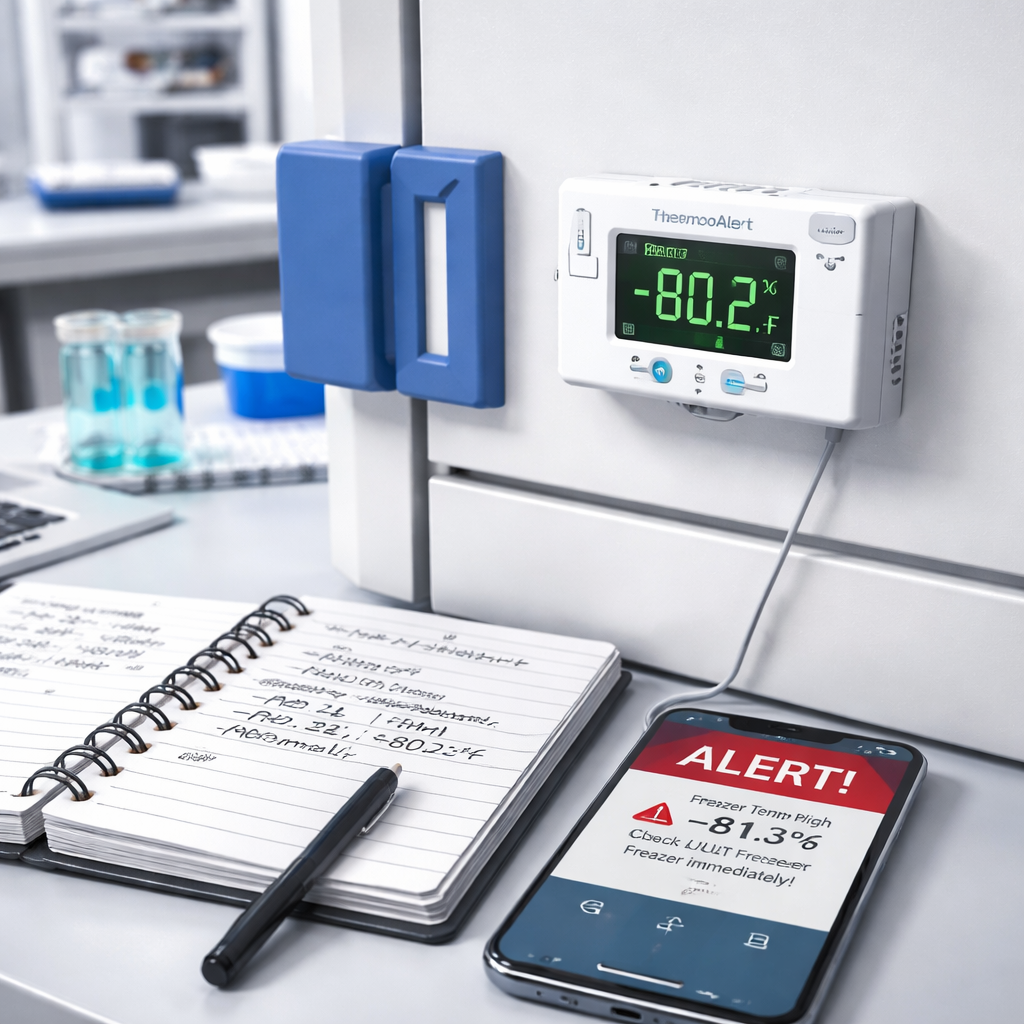
Regular care keeps your monitor reliable and your samples safe.
Conclusion
You've seen how a cheap monitor can keep your samples safe and your budget happy.
First, set clear temperature limits that match your freezer's specs.
Then add a 20‑minute delay so door opens don't fire false alarms.
Test the whole chain at least once a month, raise the temp a couple of degrees and watch for the push.
Keep a spare sensor on the bench.
Swapping it in takes minutes and avoids costly downtime.
Log each alert in a simple spreadsheet.
Look for trends: a slow drift may mean a seal problem or a blocked vent.
Finally, schedule a calendar reminder for the monthly fake alarm.
Treat it like pipette calibration, a tiny habit that saves big trouble.
Need more budgeting tips? Check out our guide on ultra‑low freezer pricing for a quick cost‑check.
FAQ
What is an affordable lab freezer temperature monitor and why do I need one?
An affordable lab freezer temperature monitor is a small device that watches the freezer’s heat and tells you if it moves out of safe limits. It helps you avoid costly sample loss by sending a text or beep when things go wrong. Because labs run on tight grants, a low‑cost unit saves money while still giving the peace of mind you need for critical work.
How do I choose the right temperature range for my freezer?
First, check the specs of your ultra‑low freezer. Most ULT units operate between –80 °C and –70 °C, so set the high alert a few degrees above that range and the low alert a few degrees below. This gives the freezer room to breathe when the door opens, but still catches a real drift before samples get damaged.
Can I set up alerts on a cheap monitor?
Yes, most budget monitors let you choose how you’re warned. You can enable a loud beep on the device, push a notification to your phone, or even send an email. In the app you set the delay, so a brief door opening won’t fire an alarm, but a sustained rise will. That way you stay aware without endless false alerts.
How often should I test the monitor?
You should run a fake alarm at least once a month. Raise the temperature a couple of degrees or press the test button, then wait the delay you set. If your phone buzzes, the chain is good. If not, check the sensor battery and the gateway connection. Regular checks catch drift early and keep your workflow smooth.
What power options are common for these monitors?
Most affordable monitors run on AA batteries or a small AC adapter. Battery power is handy for the sensor inside the freezer because it stays alive even if the plug is pulled. The main unit can sit on the bench and plug into a wall socket, so you never need a special power line. Just keep a spare battery handy.
How do I keep the sensor battery alive?
Sensor batteries typically last 1‑2 years, but you can extend life by checking the LED each month. If the light dims, swap in a fresh AA cell. Store extra cells in a cool, dry place near your bench. Some labs also rotate sensors every six months to avoid surprise failures. A quick battery swap saves a whole experiment from loss.