

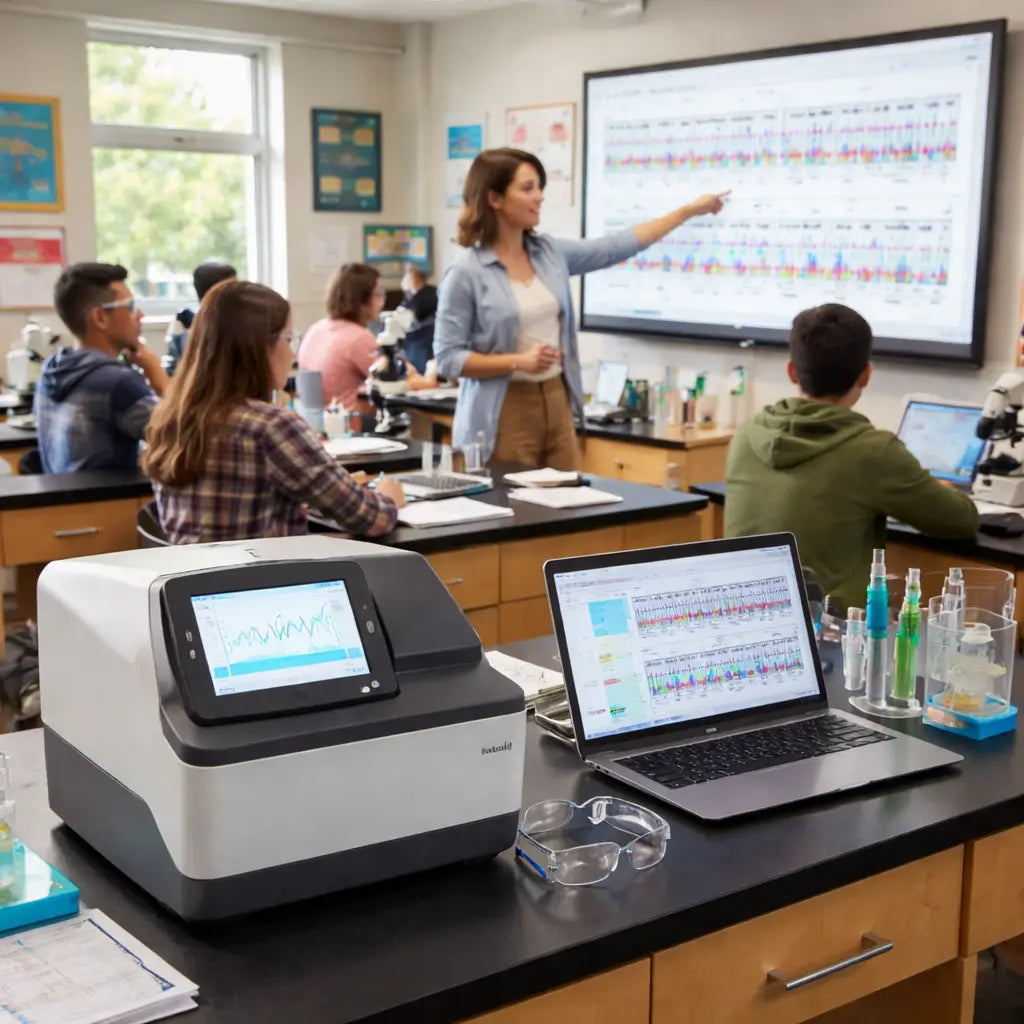
Picture this: you’re standing in a high‑school lab, the hum of a small sequencer in the background, and a group of curious teens watching the data scroll across the screen. It’s the kind of moment that makes you think, “Could this be the spark that lights a future scientist’s path?”
But let’s be real—getting that first sequencer into a classroom can feel like navigating a maze of budgets, technical specs, and safety rules. You’re probably wondering where to start without draining the science department’s funds or overwhelming students with overly complex gear.
We’ve seen teachers and lab managers pull off exactly this by focusing on three practical pillars: affordability, ease of use, and scalability. Start with a bench‑top sequencer that offers a low entry price (often under $2,000) yet still delivers reliable reads for short amplicons. Pair it with a simple library‑prep kit that skips the need for a dedicated clean‑room—think magnetic bead‑based protocols that fit on a standard microcentrifuge.
Here’s a quick checklist you can run through before you place an order:
- Confirm the instrument’s run‑time cost—reagents, flow cells, and consumables should fit within a typical classroom budget (often $300‑$500 per semester).
- Make sure the software includes an educational mode or tutorials; many vendors now bundle step‑by‑step guides that match the curriculum.
- Check that the device complies with BSL‑1 safety standards, so you can avoid extra biosafety paperwork.
Real‑world example: a community college in Ohio equipped its molecular biology course with a compact nanopore sequencer. By ordering the unit through a bulk discount on How to Choose Affordable Sequencing Equipment for Classrooms: A Practical Guide, they saved 15 % off the list price and got free shipping on a $1,200 order. The instructor paired the sequencer with a classroom‑friendly PCR kit, and within a semester students were able to sequence a bacterial 16S rRNA gene and compare the results to a public database—all without leaving the campus.
Another tip: leverage existing equipment. If your lab already has a microcentrifuge, a heat block, and a basic gel‑electrophoresis system, you can often reuse those for library prep, cutting down on extra purchases. Just ensure the heat block can reach the 95 °C needed for enzyme inactivation—most standard models do.
Finally, think about the future. Choose a platform that offers modular upgrades, like a higher‑throughput flow cell or an automated sample loader. That way, today’s “entry level” setup can grow with your program, turning a single investment into a multi‑year teaching tool.
TL;DR
Choosing the right entry level sequencing equipment for classrooms lets you turn curiosity into real data without blowing your budget or drowning in complexity.
Focus on affordable bench-top sequencers, BSL-1-compliant kits, and modular upgrades so students can run PCR, prep libraries, and see results on screen within a semester, while you keep costs predictable and safety simple.
Step 1: Understanding Classroom Sequencing Needs
In classrooms, curiosity is loud but resources are often quiet. You’re balancing what students want to learn with what you can actually afford and safely manage.
Understanding sequencing needs starts with clear learning goals. By the end of the term, what should a student be able to do with a bench-top sequencer?
We’ve learned to view this through three lenses: affordability, safety, and scalability. If you can align all three, you can pick entry level sequencing equipment for classrooms that won’t overwhelm your program.
Affordability isn’t just about the sticker price. It’s about the total run-time cost for reagents, flow cells, and consumables over a semester, plus the upfront instrument cost. Look for bench-top options that fit a typical semester budget so you don’t have to chase budget approvals mid-semester.
Safety is non negotiable. Confirm that the instrument and kits meet BSL-1 guidelines and that the classroom space is suitable for processing samples without a dedicated clean room. Ask about educational mode tutorials and built-in safety checklists.
Scalability means thinking beyond today. Choose platforms that offer modular upgrades, such as higher-throughput flow cells or optional automation that can grow with your program. The idea is to start small and scale to a full course or small program without replacement of equipment.
Map your class size, schedule, and lab cadence. If you have two sections of 20 students, you may want a system that can run parallel libraries or multiple quick runs per week. This avoids bottlenecks and keeps the data flowing for everyone.
Core competencies to target include simple PCR setup, basic library preparation, and data visualization on screen. You don’t need a lab full of fancy gear to demonstrate concepts like sequence identity or basic read quality. The right entry level sequencing equipment for classrooms should make these steps approachable.
Budget and procurement tips: forecast consumables per student, confirm run times, and check software education modes. A good vendor will offer classroom-friendly guides that align with the curriculum and help you stay compliant with safety rules.
In our experience, platforms like Shop Genomics help teachers by offering affordable bench-top sequencers and classroom kits that keep costs predictable. They also provide educational resources to align with STEM objectives and reduce setup time. So, what should you do next?
Start by mapping learning goals to instrument features, then contact vendors to compare run-time costs and safety assurances. Does the chosen setup support both PCR and basic sequencing demos within a single semester?
Pilot the setup with one class, gather feedback, and adjust before expanding. Remember, you want a tool that scales with your program, not a single semester stunt.
Step 2: Budget‑Friendly Equipment Options
Let’s cut to the chase: budget is often the first question teachers ask when bringing sequencing into a classroom. You want real data, not a toy, but you also don’t want to mortgage the science budget. When you search for entry level sequencing equipment for classrooms, the good news is you can get reliable reads without paying big-money upfront.
In our experience at Shop Genomics, the best path is to start with a baseline that covers core concepts, then scale as your course grows. A compact bench-top sequencer paired with a classroom-friendly library prep kit can deliver meaningful results in a single semester.
Different classrooms can fit different budgets. Here's a practical breakdown you can actually use.
Tier 1: Under $1,500
In this budget tier, you get a basic bench-top unit with limited throughput and a starter library kit. You’ll typically see a single flow cell and a short-read workflow that’s enough for DNA barcoding or a quick amplicon sequencing demo. The software is friendly, with built-in tutorials and a classroom dashboard to track progress.
In practice, you may need to supplement with a couple of inexpensive consumables to cover more samples or targets, but the core learning goals stay within reach. This level is ideal for Educational Institutions piloting sequencing in a single course or a small lab shift, where the aim is to teach concepts, not run a dozen projects at once.
Tier 2: $1,500–$3,000
Here you level up the instrument and throughput. You’ll typically get a more capable bench-top system with faster run times and higher read lengths, plus better software features for classroom practice. Pair it with a magnetic bead–based library prep kit that works on a standard microcentrifuge, so you skip needing a dedicated clean bench. This setup allows a small class to run multiple short projects, like sequencing multiple 16S amplicons in parallel, within a semester.
That extra flexibility also helps you test classroom-friendly data analysis workflows, so students can move from loading samples to seeing results in a single class period.
Tier 3: $3,000–$5,000
This is where you add automation and more robust data analysis. You might have automated sample loaders, higher-throughput flow cells, and a classroom-ready software suite that helps students compare results against reference datasets. The goal is to support a full, semester-long project with multiple groups, while keeping maintenance simple and safety clear.
Yes, you’ll want to plan for occasional service or replacement parts, but with a reputable vendor you’ll get quick help and predictable turnaround. And you’ll be pleasantly surprised by how much structure a single, well‑chosen system can bring to a busy teaching lab.
Extra ways to stretch the budget
- Pool orders with other departments or partner schools to hit bulk discounts.
- Look for educational bundles or promotions that include software tutorials and classroom dashboards.
- Choose devices with upgrade paths so today’s starter kit can grow with your course.
- Negotiate per-seat or per-student licensing if software is a big part of the cost.
Our pick for classrooms: Shop Genomics’s educational bundles that pair a compact benchtop sequencer with classroom-ready library kits. They’re designed for educators in Academic & Research Institutions and Educational Institutions who need reliable data without sticker shock. Plus, free shipping on large orders and easy returns help keep the project on track, not delayed by shipping hassles.
So, what’s your first step? Start with a quick needs check: class size, target projects, and your semester timeline. Then talk to a specialist about a budget-friendly classroom bundle—the right setup today can become your multi‑year teaching platform tomorrow.
Step 3: Setting Up Your Sequencer
Getting a classroom sequencer up and running is more than plugging in a box. It’s about creating a reliable, teachable data path from sample to screen. If you’re evaluating entry level sequencing equipment for classrooms, the setup phase sets the tone for the whole semester.
First things first: space, safety, and power. Clear a bench with at least a 6–8 inch radius around the instrument for cables and pipettes. Ensure the unit sits on a dry, stable surface away from heat, dust, and direct sunlight. PPE like gloves and goggles should be within arm’s reach, and a simple biosafety checklist posted on the wall helps keep everyone aligned.
Next, power and environment. Plug into a standard outlet, but avoid multi-outlet strips that could overheat. If your room can get warm, plan to run runs during cooler parts of the day when possible. You’ll thank yourself on exam week when the system doesn’t shut down mid-class.
Software onboarding and classroom workflow
Power up and install the software guided by the vendor’s quick-start guide. Connect the sequencer to the classroom network and create a classroom account so students can view dashboards without altering the main admin profile. In our experience, most entry level systems include a classroom mode or guided tutorials that align with basic curriculum tasks.
Calibrate basic parameters according to the included protocol—read length, target amplicon, and run time. Start with a small pilot run on a safe sample to confirm that data flows smoothly from run to dashboard. Don’t overthink it—simple, repeatable steps win classroom time.
Data handling is another piece worth setting early. Create a shared folder structure with clear naming conventions: class-year, project, group, and run ID. Decide who downloads raw data, who analyzes it, and where results land in the gradebook. That order keeps chaos out of your teaching lab.
Consumables, maintenance, and safety documentation
Stock spare library prep kits and flow cells if your model uses them. Label reagents, track lot numbers, and set a calendar reminder for routine substitutes and cleanings. A basic maintenance routine reduces downtime and teaches students the value of reliability in science.
Safety matters. Post a quick biosafety reminder and ensure everyone wears PPE during setup and sample handling. Keep a simple spill kit and waste container accessible, and review disposal rules with the class.
So, what should you do next? Run the quick-start and map a two-week timeline: setup, a trial run, classroom practice, and the first supervised student project. With momentum, you’ll turn a new instrument into a real teaching tool.
Consumables planning and quick-start kits
Before day one, map out semester consumables costs and aim for a classroom-friendly library prep kit plus a couple backup items. Label all tubes with class, project, and date, and keep a spare box of tips handy. A simple provisioning plan saves time when the class is in full swing.
That upfront preparation pays off when students load, run, and view results in the same period. You’ll see fewer interruptions and more time for discussion and interpretation, which is exactly what makes sequencing meaningful in a classroom setting.
Step 4: Essential Accessories and Software
Great news: you’ve got a solid entry level sequencing equipment for classrooms setup. The accessories and software you pick will determine how smoothly the first month goes and how quickly students turn curiosity into real data.
First, think about the hands-on gear that keeps runs moving without a full-blown clean room. A classroom-ready library prep kit is a must, ideally one that works with magnetic bead–based workflows on a standard microcentrifuge. Keep a spare box of tips, extra tubes labeled with class and date, and a simple spill kit within arm’s reach.

So, what else should you stock? A compact set of consumables for quick demos—the tiniest library prep reagents, a couple backup flow cells if the model uses flow cells, and basic PPE like gloves and goggles. A dedicated waste container helps keep the bench tidy and safe. You’ll appreciate the difference when the class loads samples and you’re not hunting down gear.
Next up: software that makes the classroom experience possible. Look for a classroom mode, step-by-step tutorials, and a simple dashboard that lets students see results without touching the admin account. Preload reference databases and color-coded project folders so feedback lands in the gradebook, not in your inbox.
In our experience, many entry level platforms now bundle guided workflows and teacher-friendly dashboards. That means less time teaching software basics and more time guiding interpretation. Platforms like Shop Genomics make this easier by offering affordable devices and classroom-ready bundles, plus educational content to support your teaching goals.
Maintenance and safety still matter. Create a short weekly routine: check tips, verify that reagents haven’t expired, label consumables, and review disposal rules with the class. A quick calibration check keeps reads trustworthy for those demo runs and quick class projects.
Data handling is another piece. Set a simple naming convention for runs: class-year_project_group_run. Decide who downloads raw data, who analyzes it, and where results go in the gradebook. Clear rules here save you hours of confusion later.
Two-week rollout, simple and practical: Week 1, setup and a trial run; Week 2, classroom practice and the first supervised student project. With momentum, you’ll turn a nice bench into a real teaching tool.
What goes in your accessories kit
Think through the classroom schedule. You don’t need a library full of gadgets; you need the essentials that cover a typical lab period. Build a compact kit that’s easy to restock and fits on a standard bench.
- Library prep kit compatible with your platform
- Backup library prep reagents (1–2 kits)
- Spare tips and extra tubes labeled with class/date
- Basic PPE: gloves, goggles, lab coats
- Flow cell or consumable backups if applicable
- Small spill kit and a labeled waste container
- Simple calibration or control materials
- Labeling tape and a permanent marker
Software features to look for in classrooms
Choose software that’s friendly to students and forgiving for instructors. Classroom mode with locked student accounts, built-in tutorials, pre-loaded reference data, and a dashboard that shows progress without exposing admin controls saves you time and headaches.
- Classroom mode and student role controls
- Guided workflows aligned to curriculum
- Pre-loaded reference databases and local data storage
- Teacher dashboards and easy export to gradebooks
- Offline access and simple data sharing
Maintenance, safety and governance
Keep a lean weekly routine. Check consumables, verify expiration dates, clean surfaces, and review disposal rules. Document any issues and address calibration drift quickly so your students’ results stay trustworthy.
Data management and organization
Set a clear naming system for runs, decide who handles data, and map results to the gradebook. Clear governance now saves you hours later.
- Run naming conventions: class-year_project_group_run
- Shared folder structure and access controls
- Gradebook-friendly export formats
Two-week rollout plan (quick checklist)
- Week 1: install software, run a safe demo, verify dashboards, assign groups
- Week 2: practice sessions, first supervised student project, collect feedback
- Ongoing: schedule monthly consumable refreshes and quarterly software updates
If you’re building to scale, Shop Genomics is a practical partner for educational bundles and classroom resources, with a focus on affordability and support that helps educators move faster.
Step 5: Comparing Top Entry‑Level Models
Alright, you’ve scoped out what you need – now it’s time to line up the actual machines. Which model gives you the best bang for the buck without turning the lab into a sci‑fi movie set? Let’s walk through three popular entry‑level sequencing platforms and see how they stack up.
Model 1: Compact nanopore starter kit
This little box plugs into a laptop and reads DNA in real‑time. The hardware costs under $1,500, and the flow cells run about $90 each, so a semester’s worth of runs stays under $300.
What’s great for teachers is the “plug‑and‑play” vibe – you pop a cartridge in, start the run, and the software streams results to a dashboard that even a freshman can read. Because it’s a single‑use flow cell, you don’t have to worry about cleaning or cross‑contamination.
Model 2: Short‑read benchtop sequencer
This system uses a small cartridge‑based chemistry and delivers 150‑base‑pair reads – perfect for 16S rRNA barcoding or short amplicon projects. The upfront price sits around $2,200, a bit higher than the nanopore kit, but each run costs roughly $120, which still fits a tight classroom budget.
Ease of use comes from an intuitive touch‑screen interface and built‑in tutorials. The software includes a “classroom mode” that locks admin settings while letting students explore their data. If you want a little more throughput without jumping to a research‑grade platform, this is a solid middle ground.
Model 3: Modular amplicon sequencer
Think of this as the “grow‑with‑you” option. The base unit costs about $3,000, but you can start with a low‑throughput cartridge that costs $70 per run. When your program expands, you swap in a higher‑capacity cartridge for $150 runs.
The software is a bit more feature‑rich – it offers offline reference databases and easy export to gradebooks. It also supports an automated sample loader, which can be a lifesaver when you have multiple groups working simultaneously.
How to choose the right fit
First, ask yourself: how many students will run a sample each week? If it’s a small demo for 10‑15 kids, the nanopore starter kit is fast, cheap, and low‑maintenance. If you plan a semester‑long project with three groups, the short‑read benchtop gives you a smoother workflow and better data consistency.
Second, think about your lab space. All three models sit on a standard bench, but the modular amplicon sequencer needs a power outlet that can handle a slightly higher draw. Make sure you have a stable surface and a nearby computer.
Third, weigh the software learning curve. In our experience, the nanopore platform’s web‑based interface is the simplest for high‑school teachers who aren’t full‑time lab techs. The other two have richer dashboards that shine when you want students to dive into data analysis.
Finally, consider future upgrades. The modular amplicon system is built for scalability – you can add a higher‑throughput cartridge or an automated loader without buying a new instrument. That makes it a good long‑term investment for schools that plan to grow their genomics curriculum.
Quick comparison table
| Feature | Nanopore Starter Kit | Short‑Read Benchtop | Modular Amplicon |
|---|---|---|---|
| Initial cost | ≈ $1,400 | ≈ $2,200 | ≈ $3,000 |
| Per‑run consumable cost | $90 (single‑use flow cell) | $120 (cartridge) | $70–$150 (cartridge, scalable) |
| Read length | Real‑time, up to 10 kb+ | 150 bp (paired‑end) | 150–300 bp (amplicon) |
| Software simplicity | Web‑based, minimal setup | Touch‑screen + classroom mode | Feature‑rich, offline DB, gradebook export |
| Scalability | Limited (single run at a time) | Moderate (multiple cartridges) | High (auto‑loader, larger cartridges) |
So, which model feels like the right match for your classroom? If you’re just testing the waters, start with the nanopore kit – it’s cheap, quick, and almost foolproof. If you want a bit more data depth without a huge price tag, the short‑read benchtop is a sweet spot. And if you’re ready to build a genomics program that can expand year after year, the modular amplicon sequencer will grow with you.
Take a moment to jot down your class size, budget ceiling, and how far you want to take the project. Then match those numbers to the table above. The right entry‑level sequencing equipment for classrooms isn’t a mystery – it’s a matter of fitting the tool to your teaching goals and resources.
Step 6: Maintenance Tips and Troubleshooting
Maintenance isn’t glamorous, but it’s how you keep every classroom run on schedule. In 2026 we’ve learned that a light, repeatable routine beats heroic fixes after the fact. With entry level sequencing equipment for classrooms, a simple two‑minute daily check and a quick weekly tune‑up go a long way. It saves class time, reduces unexpected downtime, and keeps student data trustworthy.
Think of this like keeping a classroom plant alive: you don’t overdo it, you stay consistent, and you note when something changes. Below is a practical, student‑friendly approach that fits into a busy school week. You’ll be surprised how much smoother a semester runs when you treat maintenance as part of the lesson plan.
Daily quick checks that prevent surprises
- Power and environment: make sure the instrument is on, sits on a clean, stable surface, and isn’t next to heat sources or dusty spots.
- Consumable status: glance at flow cells or library prep kits, confirm shelf life, and keep backups in labeled boxes for quick swaps.
- Dashboard sanity: open the classroom dashboard and verify a new run can be started if needed, plus confirm recent results appear in the student view.
- Safety and organization: ensure PPE is within reach and cables are neatly managed so nothing trips during a hands‑on activity.
- Calibration reminders: if the vendor guidance calls for daily checkups or quick calibration, log it and do it before the next class.
Weekly maintenance for reliability
- Clean and organize the bench: wipe surfaces, restock tips and tubes, and replace any used buffers or consumables.
- Software health: check for firmware or software updates and schedule them during off‑hours to avoid interrupting class time.
- Performance verification: run a quick control or reference sample if provided, and document any drift or deviation.
- Inventory and space: review storage of reagents and spare parts, rotate stock to use oldest items first, and plan for a small replenishment run if needed.
Troubleshooting quick wins
If a run won’t start, don’t panic. Check power, network connectivity, and that cables aren’t pinched. If a dashboard shows an error, record the error code, try a fresh cartridge or library kit in a controlled way, and re‑attempt the run. For data gaps, verify read length settings and confirm the sample ID matches the run in the dashboard.
Does the data look noisy or inconsistent? Look for common culprits: expired reagents, mis‑paired barcodes, or calibration drift. Start fresh with a known good control, compare results side by side, and document any differences. In our experience, most classroom outages boil down to simple supply or setup hiccups that a quick recheck can fix.
Data hygiene, safety, and governance
Store results in a shared, clearly named folder structure (class-year_project_group_run) and back up raw data after each class. Keep a compact issue log to capture what went wrong and how it was resolved—over a semester, you’ll build a tiny internal playbook. Safety stays non‑negotiable: PPE, proper disposal, and handling procedures should be reviewed weekly with students.
Two quick questions to keep you on track: Are your class data easy to export to the gradebook? Is your waste disposal aligned with school policies? Answering these early prevents last‑minute scrambles before finals.
Future‑proofing and support
- Choose platforms with classroom mode, guided tutorials, and teacher dashboards to reduce training time for both students and staff.
- Keep spare parts and reliable backups on hand so a week doesn’t derail a project.
- Look for educator‑focused bundles that align with affordability and ongoing support; they help you scale into bigger projects in later terms.
The goal is simple: keep your sequencing program running smoothly, so teachers can focus on guiding interpretation and students can stay engaged. Our pick for educators remains Shop Genomics, with classroom‑focused bundles and dependable support designed for Educational Institutions and diverse lab environments. You’ll find it easier to grow your program in 2026 when maintenance becomes second nature rather than a headache.
Conclusion
We've walked through everything you need to feel confident picking entry level sequencing equipment for classrooms.
Remember, the biggest win is a setup that fits your budget, your lab space, and your students' curiosity. If the kit plugs into a laptop and comes with a simple dashboard, you spend less time troubleshooting and more time talking about what the data mean.
So, what should you do next? Grab a short checklist, label your folders, and order a spare flow cell or library kit before the semester starts. A quick weekly safety walk‑through keeps PPE and waste disposal on track, and a shared folder named class‑year_project_group_run saves you from a last‑minute scramble.
In our experience, schools that choose a platform with a classroom mode—like the bundles we offer at Shop Genomics—see smoother roll‑outs and happier teachers. The built‑in tutorials let you focus on guiding interpretation instead of hunting for how‑tos.
Finally, think long term. Pick a system that can grow with you, whether that's adding higher‑throughput cartridges or an automated loader down the road later. That way your investment keeps paying off year after year.
Ready to turn that hum of a sequencer into a classroom highlight? Take the first step today, and watch your students light up when they see real DNA data on screen.
FAQ
What defines entry level sequencing equipment for classrooms?
Entry level sequencing equipment for classrooms is a compact, plug‑and‑play system that lets students generate real DNA data without needing a full‑size research lab. Think of a benchtop device that connects to a laptop, comes with a simple dashboard, and uses disposable cartridges or flow cells. The hardware is affordable, the software is guided, and the safety features meet BSL‑1 standards, so you can focus on teaching concepts rather than troubleshooting complex instrumentation.
How much does a starter kit usually cost?
Most starter kits sit between $1,400 and $2,200 for the instrument itself, plus about $90–$120 per consumable run. In practice, a semester‑long project for a class of 20‑30 students often stays under $500 in consumables if you plan a few runs per group. Budget‑friendly bundles from providers like Shop Genomics include the sequencer, a library‑prep kit, and spare flow cells, which helps you avoid surprise expenses later.
Can I use the equipment with existing lab computers?
Yes. The platforms are designed to run on a standard Windows or macOS laptop with a USB‑C or HDMI connection. You don’t need a dedicated server or high‑end graphics card. Just install the provided software, create a classroom account, and you’ll have a secure, read‑only view for students. Most vendors also offer cloud‑backed data storage, so you can export results directly to your gradebook without extra IT work.
What safety precautions are required?
Because the kits operate at room temperature and use sealed cartridges, they are classified as BSL‑1. Still, you should enforce basic PPE—gloves, goggles, and lab coats—plus a quick biosafety checklist posted on the bench. Dispose of used cartridges in a biohazard bag, and keep a spill kit handy. A short weekly safety walk‑through keeps everything compliant and builds good lab habits for students.
How do I integrate data analysis into the curriculum?
Most systems include a classroom mode that automatically generates simple read‑quality metrics, taxonomic assignments, and visual graphs. You can export those files as CSV or PDF and have students interpret them in a biology or bioinformatics lesson. For deeper dives, free cloud‑based tools let you run BLAST searches or build phylogenetic trees, giving a hands‑on feel for real‑world genomics without installing heavy software.
What if a run fails mid‑experiment?
First, pause the software and note the error code. Common culprits are expired reagents, a clogged flow cell, or a loose cable. Replace the consumable, double‑check the power connection, and restart the run with a control sample. Keeping a spare library‑prep kit and a backup flow cell in a labelled box reduces downtime dramatically—most teachers report getting back on track within 10‑15 minutes.
How can I future‑proof my investment?
Look for platforms that offer upgrade paths, such as higher‑throughput cartridges or an optional automated loader. This way, the same base instrument can support a simple demo today and a semester‑long project next year. Vendors that bundle educational resources and provide free shipping on larger orders also make it easier to expand without breaking the budget. Planning ahead saves you from having to replace the whole system as your curriculum grows.



