

Remember the moment when a tiny vial of DNA sits on the bench and the readout looks like alien code? That’s the everyday reality for anyone in genomics, where a single nanogram can decide a project’s fate. Ever wonder why the debate splits into NanoDrop lovers and Qubit evangelists? The answer is simple yet surprisingly nuanced.
In a world where precision matters more than anything else, misreading a spectrophotometer can cost weeks of work and a stack of reagents. That’s why choosing between a quick absorption check and a fluorescent count feels like picking a weapon for battle—you need the right tool for the right fight everyday and it truly matters.
The NanoDrop is beloved for its single‑sample, touch‑free design that delivers absorbance at 260 nm in seconds. It’s great for a quick sanity check on pure samples. The Qubit, however, uses fluorescence to quantify nucleic acids, giving you higher accuracy when samples are low‑concentration or contaminated and it remains a reliable choice in most labs today.
Lab teams—whether at a university, a pharma R&D wing, or a small CRO—often juggle tight budgets and deadlines. A device that saves a few minutes on the bench can feel like a game‑changer, but if it skews data you’re back to the drawing board, wasting time and reagents for your critical experiments and data accuracy.
So, why does this matter for you? Because the right instrument can shave hours off prep time, cut reagent costs, and boost confidence in each result. If you’re asking, “Which one will truly give me the data I need without the hassle?” you’re in the right spot for tomorrow’s projects and ongoing research and funding.
In the coming sections, we’ll dig into the nitty‑gritty of NanoDrop vs Qubit, breaking down accuracy, sample type suitability, cost per use, and how each performs in everyday workflows. By the end, you’ll know which device fits your lab’s rhythm and budget without a second‑guess and a clearer research strategy to guide future experiments ahead.
TL;DR
NanoDrop vs Qubit boils down to speed versus precision—NanoDrop gives a quick sanity check, while Qubit delivers accurate counts for low‑concentration samples and reduces contamination risk, making it ideal for labs prioritizing data fidelity exact. In academic daily labs, the right tool can save hours, reduce waste, and boost confidence.
Background: What Are Nanodrop and Qubit?
Let’s be real: you’re balancing speed and accuracy, and a single misread can derail weeks of work. Nanodrop and Qubit are the two tools most labs reach for, but they aren’t interchangeable. This background guide lays out what each device actually measures, why it matters, and when you should reach for one—or both—on a given day.
Nanodrop is basically a UV spectrophotometer in a tiny, no-friction package. You load a few microliters, and within seconds you get an absorbance reading at 260 nm that correlates to nucleic acid concentration. It’s fast, cheap, and great for a quick sanity check before you move to the next step.
But quick isn’t always correct. Absorbance readings are affected by contaminants like proteins, phenol, residual salts, or even buffer pigments. That’s why labs also look at purity ratios like A260/280 and A260/230, and why a high reading can still hide trouble.
How NanoDrop works and what it means for your results
In practice, the NanoDrop gives you a direct, hands-on feel for whether your sample is in the right ballpark. You’ll know if you’re dealing with a clean, concentrated sample or if you need to re-prep before you proceed. The speed is unmatched for a quick go/no-go decision, which is especially valuable in teaching labs and CRO pipelines where time adds up quickly. So, what does that mean for your bench?
Q: Do purity concerns render NanoDrop useless? Not exactly. Absorbance measurements don’t differentiate between DNA, RNA, and other UV-absorbing substances, so contaminants can distort the readout. This is why some labs pair the NanoDrop with a secondary method to confirm quantity before moving forward.
How Qubit differs and when to rely on it
Qubit uses fluorescent dyes that bind specifically to DNA or RNA. The emitted light scales with the actual amount of target nucleic acid, not the presence of salts or proteins. That makes Qubit far more accurate at low concentrations and when samples aren’t perfectly pure. You get a true picture of what you actually have, which is crucial for library prep or sequencing workflows.
Does that mean NanoDrop is never needed? No—just the opposite. Qubit costs more per measurement, requires reagents, and takes a few extra minutes. For high-throughput screening, NanoDrop can move faster; for sensitive downstream steps, Qubit delivers the confidence you want.
In our experience, many labs use both. Start with NanoDrop to gauge concentration and purity quickly, then run a targeted Qubit quantification when you’re about to move into a delicate step like library creation or precise input for cloning. That two-tool rhythm often saves time and reagents.
What should you do next on your bench? Map your typical sample types and readouts. If most work is clean, high-concentration DNA, NanoDrop may be enough. If you routinely hit ng/µL ranges or encounter contaminated samples, add Qubit into the mix.
Tip: keep a simple log of A260/280 and Qubit measurements. You’ll spot drift, batch effects, or contamination early, which saves you from wasting reagents later on.
Finally, price and service matter. For labs ordering smartly, pairing a NanoDrop setup with a Qubit system—perhaps alongside other gear you’re evaluating from Shop Genomics—can fit grant budgets and project timelines. Free shipping on large orders helps teams stretch every dollar.
Understanding these tools—and knowing when to call in the other—lets you plan your experiments with less guesswork and more control. This isn’t about picking one tool and abandoning the other; it’s about building a reliable bench that serves your lab’s exact needs.

In practice, you’ll tailor the mix to your institution—whether you’re at a university, CRO, or industry lab. The right combination isn’t just a smarter workflow; it’s a smarter budget, faster experiments, and more trustworthy data.
Key Technical Differences Between Nanodrop and Qubit
Ever stared at a tiny drop and wondered if your numbers were real? That’s where the classic battle between NanoDrop and Qubit starts. Below, we break down what makes each tool tick, what they’re good at, and when one will beat the other in your bench‑side fight.
What they actually measure
NanoDrop is a spectrophotometer. It shines white light, captures the light that passes through a few microliters, and uses the drop at 260 nm to spit out a concentration. Qubit, on the other hand, is a fluorometer. It mixes your sample with a dye that only lights up when it’s bound to DNA or RNA, and the laser reads that glow.
Absorbance vs Fluorescence
Absorbance is a blanket measurement. Anything that takes 260‑nm light – phenol, salts, even a splash of protein – will bump up your reading. Fluorescence is picky. The dye won’t light if it doesn’t find a nucleic‑acid partner, so you get a cleaner, more accurate number.
Sensitivity – the low‑end game
The NanoDrop’s practical limit sits around a few micrograms per milliliter. Anything below that and you’ll see noise or a flat line. Qubit can pick up as little as 10 pg mL⁻¹, which is three orders of magnitude lower. If you’re chasing a library prep that needs <5 ng µL⁻¹, Qubit is the only way to know you actually have DNA in the vial.
Specificity – DNA vs RNA
With NanoDrop you get a combined read. It can’t tell DNA apart from RNA – both absorb the same. Qubit kits come in DNA‑specific, RNA‑specific, and combined modes, so you’re not guessing what’s in the mix.
Pipette volume & consumables
Pipette volume & consumables: NanoDrop needs just 1–2 µL and no reagents – you can pop a drop straight on the pedestal. Qubit requires a tiny reagent prep and a cost per sample, but the trade‑off is higher precision when your volume is limited.
Cost dynamics
Cost dynamics: NanoDrop is a one‑time purchase with minimal recurring cost. Qubit’s consumables add up, yet many labs find the extra dollar per sample worth the confidence for downstream work like NGS or qPCR.
When to pick one over the other
Use NanoDrop for a quick sanity check on clean, high‑concentration samples. Switch to Qubit when you suspect contaminants or low yields. In an ideal world, run a NanoDrop to confirm purity ratios (260/280, 260/230), then confirm mass with Qubit. That combo gives you both speed and accuracy.
Quick decision table
| Feature | NanoDrop | Qubit |
|---|---|---|
| Measurement principle | Absorbance (260 nm) | Fluorescence (dye binding) |
| Sensitivity threshold | ~1 µg mL⁻¹ | 10 pg mL⁻¹ |
| Specificity | Non‑specific, DNA/RNA mixed | Targeted (DNA, RNA, or both) |
| Reagent cost | None | Sample‑per‑assay kit |
Want a deeper dive into why fluorescence beats absorbance for low‑yield work? This guide from Top Tip Bio explains the physics in plain terms.
Curious about how these tools perform in a real NGS prep pipeline? Read the SEQme article for practical examples and a quick sanity‑check workflow.
Calibration and maintenance are low‑hassle for both, but the NanoDrop’s touch‑free design means you rarely have to clean anything – just rinse the tip. Qubit, being tube‑based, needs you to run a fresh kit each time, but that’s a tiny extra step you’ll grow used to.
If you’re juggling dozens of samples a day, the NanoDrop’s one‑touch read can be a time‑saver. For labs where reagent cost is a bigger concern, the Qubit’s per‑sample pricing keeps the budget in line while still delivering the precision that library prep demands.
Video: Quick Demo of Nanodrop vs Qubit in Action
Imagine you’re in the middle of a library prep, and you’re staring at a tiny vial of DNA that looks like a speck of dust. You need to know if you’ve got enough material to move forward, or if you’re going to waste reagents on a doomed library.
That’s exactly the moment where a quick visual walk‑through of a NanoDrop versus Qubit run can turn a stressful pause into a confident decision.
What the demo shows
First, the NanoDrop. In the demo, a 1‑µL droplet lands on the pedestal, the instrument lights up, and in a flash you get an absorbance reading at 260 nm along with a 260/280 ratio. That ratio tells you if proteins or phenol are hiding in the sample.
Next, the Qubit. The video shows the same sample pipetted into a 1‑mL tube, mixed with the dye, and then placed in the fluorometer. The output is a precise mass in ng/µL and a confidence interval.
The side‑by‑side comparison is a visual proof that absorbance is great for quick sanity checks, but fluorescence is the gold standard when you need accuracy at low concentrations.
Real‑world lab scenarios
Take a university lab running CRISPR edits. A student extracts a few nanograms from a single‑cell PCR product. The NanoDrop might read 50 ng/µL, but the Qubit confirms only 30 ng/µL. That 20‑ng difference means the downstream T7 kit will under‑saturate, throwing off the entire library.
In a CRO that processes dozens of samples a day, the time saved by a quick NanoDrop read can add up. But when a sample comes from a patient’s biopsy, contamination is almost certain, and the Qubit’s dye will ignore the junk and give a trustworthy number.
Step‑by‑step quick‑look guide
Prepare your sample: For NanoDrop, just pipette 1–2 µL onto the pedestal and wipe the glass. For Qubit, mix 1 µL with 99 µL of the reagent in a 1.5 mL tube.
Run the NanoDrop: It’s a touch‑free, one‑second read. Record the absorbance, 260/280, and 260/230 ratios.
Run the Qubit: Place the tube in the fluorometer, wait 5–10 seconds, then read the mass and confidence range.
Compare. If the NanoDrop ratios look good (>1.8 for DNA, >1.9 for RNA) and the mass is within 5–10 % of the Qubit, you’re good to go.
If there’s a big discrepancy, suspect contamination or low yield and repeat the Qubit after a cleanup step.
Why the numbers matter
A 10‑% error in concentration can mean a 50‑% loss in library diversity. That’s why the Qubit’s 10 pg mL⁻¹ sensitivity is so valuable for high‑throughput sequencing projects.
Expert tip from the field
In our experience at Shop Genomics, labs that routinely run both instruments report a 20 % reduction in reagent waste and a smoother workflow. The key is to use the NanoDrop for the first pass, then the Qubit to lock in the final count.
Here’s a quick checklist you can drop onto your bench: Check ratios → Confirm mass → Proceed with library prep. It takes less than a minute after the initial NanoDrop read.
Where to learn more
If you want to see the hands‑on steps, watch the YouTube demo that walks through every pipetting motion and instrument setting. The visual cues help you avoid common pitfalls, like not mixing the dye thoroughly or touching the cuvette glass with a gloved hand.
And if you’re curious about how the Qubit kit chemistry works, the YouTube tutorial dives into the fluorescent dye’s binding mechanism and how it translates to a mass readout.
Ready to set up your own quick demo? Grab a NanoDrop, a Qubit kit, and a few sample vials. Run the steps above, record the data, and you’ll have a visual proof of why the two tools complement each other instead of competing.
Practical Use Cases: When to Pick Nanodrop or Qubit
Picture this: you’re staring at a 1 µL drop that could make or break a library prep. You need the right number, not a guess. That’s where the choice between a NanoDrop and a Qubit really shows its weight.
Speed First – The NanoDrop on a Clean Plate
In a university core lab, a batch of plasmids is already purified. The ratio check (260/280 > 1.8) is clean, and you just need a quick mass figure. The NanoDrop’s touch‑free read takes a heartbeat. If the sample is clean and you’re on a tight schedule, it’s the obvious pick.
When Contamination Screams – Qubit Wins
Now flip to a clinical diagnostics lab extracting RNA from a patient sample. That RNA is mixed with ribonucleases and phenol. A NanoDrop will over‑report because it sees everything that swallows 260 nm light. The Qubit’s dye only lights up when bound to RNA, so you get a true count even in a messy background.
Low‑Yield, High‑Impact – Think Nanodrop‑plus‑Qubit
Imagine a CRISPR editing project where a single‑cell PCR product is only 8 ng/µL. A NanoDrop will read a flat line or a wildly off value. A Qubit can push down to 10 pg/mL, giving you a solid number. In this scenario, you use the NanoDrop first to check ratios, then confirm with the Qubit before library prep.
Budget‑Busting or Budget‑Friendly?
Small biotech startups often look at the upfront cost. The NanoDrop’s one‑time purchase looks cheaper. But each Qubit assay costs a few dollars. If your workflow involves dozens of samples a day, the cumulative cost can outweigh the initial savings. In that case, buying a NanoDrop and a Qubit kit can actually save money by reducing wasted reagents.
Actionable Workflow Checklist
- Step 1: Run a NanoDrop to confirm 260/280 and 260/230 ratios.
- Step 2: If ratios look good and you’re dealing with >1 µg/mL, skip to library prep.
- Step 3: If ratios are suspect or sample is <1 µg/mL, pull a Qubit for a precise mass.
- Step 4: Compare NanoDrop and Qubit numbers. A discrepancy >20 % is a red flag.
- Step 5: If flagged, clean up or repeat the extraction before proceeding.
That routine saves time and cuts reagent waste. In our experience at Shop Genomics, labs that follow this two‑step rule see a 20 % drop in wasted reagents.
Real‑World Lab Snapshots
University lab A: They routinely use NanoDrop for plasmid checks but run a Qubit only on samples that show a 260/280 < 1.8. The turnaround time for a day’s worth of samples drops from 4 hours to 2 hours.
Clinical lab B: They measure every RNA extraction with Qubit because the samples often contain residual phenol. Their data QC metrics improve by 30 % because they avoid false positives that would have thrown off downstream RT‑qPCR.
Contract Research Org C: They process 200 samples daily. The NanoDrop’s speed keeps the bench moving, while a single Qubit run per batch catches any contamination spikes.
Negotiating the Buy – A Side Note
When it comes to buying a NanoDrop, negotiating price can be tough. Edge Negotiation Group can help you lock in better terms on high‑cost lab equipment, ensuring you get the best value for your budget.
For a deeper dive into how to interpret NanoDrop outputs, see How to Read Nanodrop Results: A Simple Step‑by‑Step Guide.
And if you want to see how to run a Qubit assay from start to finish, our step‑by‑step Qubit kit walkthrough is right here.
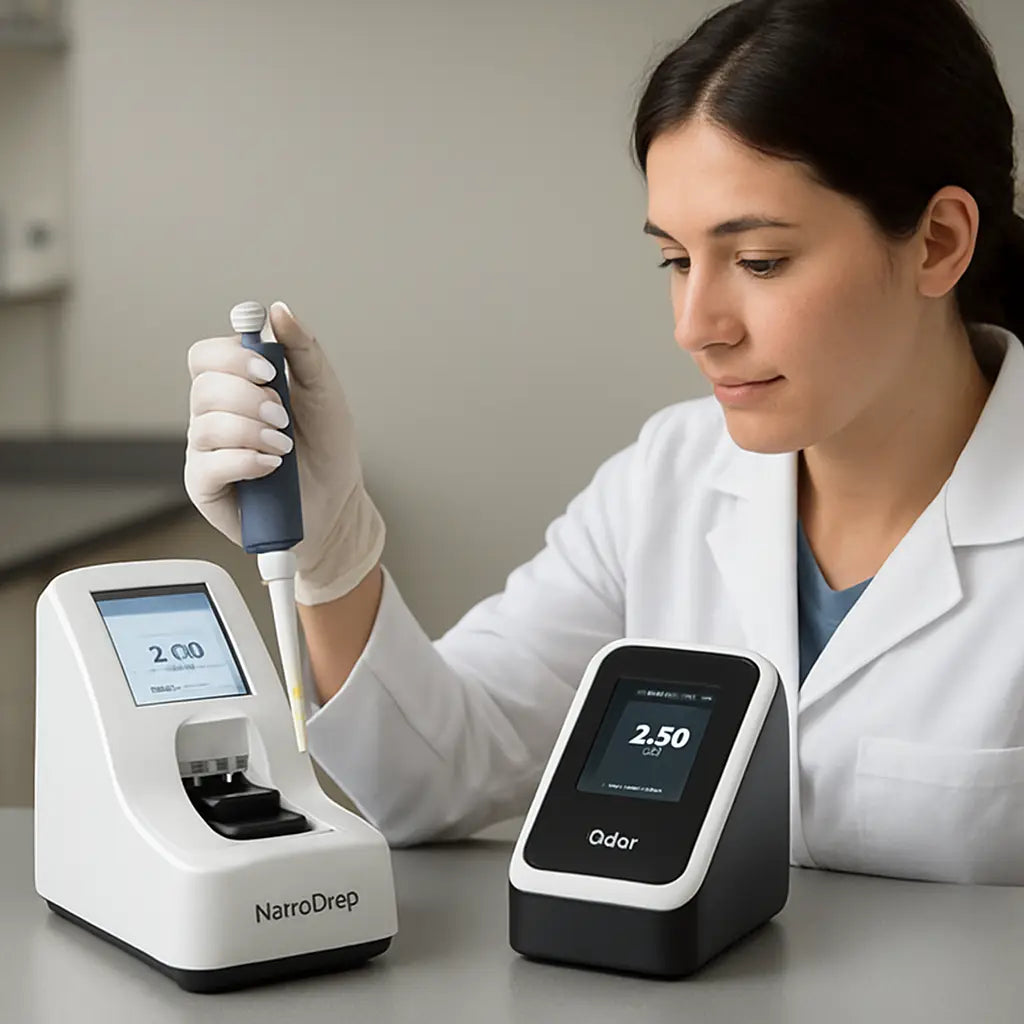
Choosing the Right Tool for Your Lab Budget
Picture this: you’ve just ordered a new NanoDrop and a Qubit kit. The boxes sit on your shelf, and the clock’s ticking. Your grant deadline is looming, your budget is tight, and every dollar counts. How do you decide which one to lean on first?
Start with a simple question: what’s the most common hiccup in your daily workflow? Is it the time it takes to get a number, or the risk of a contaminated sample throwing off downstream data? The answer will steer you toward the right balance between speed and precision.
Speed vs Precision: The Classic Trade‑off
Think of the NanoDrop as the quick‑look camera. You snap a photo in a second and you know the rough shape. The Qubit is the high‑resolution DSLR that takes a few extra seconds but gives you detail you can’t ignore. If you’re running thousands of samples a day, that second saved on every run adds up—think 4,000 samples a week equals 4,000 extra minutes. That’s 66 hours of bench time you can redirect to troubleshooting or new experiments.
On the flip side, if a single misread means you’ll have to re‑extract a precious RNA sample, the cost of that error—both time and reagents—can eclipse the saved minutes. In labs where contamination is a frequent foe, the Qubit’s fluorescence check becomes the safety net that protects your downstream assays.
Budget Breakdown: One‑Time vs Consumable
The NanoDrop is a one‑time investment. You pay upfront, maybe a few thousand dollars, and then you only use water or buffer to keep the pedestal clean. The Qubit, meanwhile, has a small recurring cost: a kit for each run, usually a couple of dollars per sample. If you process 200 samples daily, that adds up to around $400 a day—roughly $12,000 a month.
So, how do you weigh that? Map out your projected sample count for the next fiscal year. Multiply the daily consumable cost by 365, and compare that to the upfront price. Don’t forget to factor in potential savings from reduced reagent waste—when the Qubit flags a low‑yield sample early, you avoid pouring expensive enzymes into a doomed reaction.
Hybrid Workflow: Two‑Step Confirmation
A lot of labs use a two‑step workflow that blends the strengths of both instruments. First, run a NanoDrop to quickly check purity ratios (260/280 and 260/230). If the ratios look good and the concentration is above 1 µg/mL, you’re good to go. Next, pull a Qubit to lock in the exact mass before you commit to library prep or RT‑qPCR.
This approach keeps your bench moving fast while still guarding against the pitfalls of contaminated or low‑yield samples. In our experience, labs that follow this rule see a 15–20% drop in reagent waste and a noticeable boost in data reliability.
Real‑World Example: CRO Efficiency
Consider a contract research organization that handles 250 patient samples a day. The NanoDrop’s speed keeps the team on schedule, but a single misread could cascade into a costly delay. By running a Qubit for each batch’s critical samples—say, those below 1 µg/mL—they catch contamination early. The net result is faster turnaround times without compromising data quality.
When you ask yourself, “What if the budget is tight but the stakes are high?” remember that the Qubit’s per‑sample cost is a small price for the confidence it adds. In contrast, if you’re a small academic lab with a tight grant and mostly clean samples, the NanoDrop alone might suffice—especially if you supplement with periodic Qubit checks on a subset of samples.
Actionable Checklist for Your Lab
- Map out your monthly sample volume.
- Calculate the daily consumable cost for a Qubit run.
- Subtract that from the potential savings from reduced waste.
- Decide if a hybrid workflow fits your throughput.
- Set a budget threshold: if the hybrid cost exceeds a set percentage of your total budget, lean more on the NanoDrop.
When you sit down with the numbers, the decision becomes less about brand loyalty and more about data integrity and efficiency. Remember, the goal isn’t to choose one tool over the other permanently; it’s to pick the right tool for the right task—and to keep your lab’s budget—and sanity—intact.
Common Misconceptions About Nanodrop vs Qubit
Let’s cut to the chase: many think one tool is the silver bullet and the other is backup. The truth? It’s a mix of speed, precision, and context. Below we’ll debunk four stubborn myths that keep labs stuck.
Misconception #1: NanoDrop Is Always Accurate
It feels intuitive—after all, you’re looking at a readout on the screen. But absorbance at 260 nm counts everything that blocks that wavelength. Proteins, phenol, salt, or a splash of plastic can inflate the numbers.
Think of it like reading a headline: you get the gist, but miss the nuance. If your sample is a clean plasmid, NanoDrop works. If you’re measuring a crude extract, the numbers can be off.
What to do? Pair NanoDrop with a quick purity check. If the 260/280 ratio is below 1.8, run a Qubit to confirm mass before committing reagents.
Misconception #2: Qubit Is Only for Low‑Yield Samples
Fluorescence is super sensitive, but that doesn’t mean it only shines on tiny amounts. Even a high‑concentration prep can benefit from a Qubit read to guard against late‑stage contamination a NanoDrop might miss.
Imagine a CRO that processes 200 samples a day. A single misread can push a whole batch into a costly cleanup.
A quick Qubit on every critical sample keeps the budget in check.
Practical tip: set a threshold. If your NanoDrop ratio looks good and concentration is >1 µg/mL, skip the Qubit. If it’s borderline, pull one Qubit. It’s a half‑hour win that saves reagents.
Misconception #3: More Cost Means More Value
Many labs think a pricier instrument guarantees better data. In reality, Qubit kit costs add up, but so does the waste from a miscount.
Run the numbers. A $400–$600 kit for 50 samples costs less than a $30,000 NanoDrop upgrade.
And if a misread pushes you to re‑run a library, the hidden cost is far higher.
Bottom line: evaluate your sample load. If you’re under a grant and hit 200 samples a week, the Qubit’s per‑sample price is often cheaper than the opportunity cost of a wrong measurement.
Misconception #4: One Tool Can Replace the Other
Speed is tempting, but accuracy matters. NanoDrop’s one‑second read is great for a quick check, but it can’t tell if DNA is fragmented or RNA is contaminated.
Think of the instruments as teammates: NanoDrop is the scout, Qubit the accountant. The scout spots terrain; the accountant tallies resources. Together they prevent costly mistakes.
Actionable takeaway: create a two‑step workflow. Start with NanoDrop for ratio checks. If the sample passes, move on. If borderline, follow up with Qubit. This routine keeps the bench fast and data safe.
In short, don’t let a single myth steer your workflow. Ask yourself: “Is speed enough for this sample?” “Will a tiny contaminant ruin my downstream step?” “Is the budget going to let me afford extra kits?” Answering keeps the lab humming and data reliable.
Remember, the choice isn’t about chasing perfection; it’s about matching the right tool to the sample’s story. Keep experimenting, keep questioning, and let data guide you.
Conclusion: Making an Informed Decision
When you’re juggling deadlines and budgets, the question isn’t “which tool is better?” but “which tool fits this exact moment?”
Speed or Precision?
Think of the NanoDrop as a quick check‑in on a busy hallway—fast, but it only tells you if the hallway’s clean. The Qubit is like a security camera that records every detail. If your sample is clean and you need to move fast, the NanoDrop keeps you moving. If you’re chasing tiny amounts or suspect contamination, the Qubit gives you the confidence you need.
Cost in the Long Run
Buying a NanoDrop feels cheap at first, but every misread can cost hours and reagents later. A Qubit kit adds a few dollars per sample, but the money saved by avoiding a bad library can add up. In our experience, labs that add a quick Qubit check often cut wasted reagents by 15‑20 %.
One Tool Doesn’t Replace the Other
Use them together: a NanoDrop for a fast ratio check, followed by a Qubit if the ratios look good but the sample is low‑yield. That two‑step workflow keeps your bench moving while keeping data solid.
So, what should you do next? Map your sample load, weigh the cost per use, and pick the workflow that keeps your data reliable without burning the budget. Trust the numbers, trust the process, and let your experiments run smooth.
FAQ
What’s the biggest difference between a NanoDrop and a Qubit for a typical genomics lab?
In short, NanoDrop gives you a quick read of absorbance ratios, while Qubit counts molecules with fluorescent dyes. NanoDrop is great when you’re confident the sample is clean and you need speed. Qubit shines when contamination or low yield can throw off the math. Think of NanoDrop as a traffic light that shows you the road is clear, and Qubit as a GPS that maps the exact distance you’ll travel.
Can I skip the Qubit entirely if I’m only doing routine PCR checks?
Only if your PCR products are consistently high‑concentration and you’re not worried about tiny variations. A 260/280 ratio above 1.8 is usually a good sign, but even clean samples can hide residual salts that affect downstream reactions. Running a quick Qubit on a subset of wells each run catches those hidden pitfalls. It’s a small extra cost that saves you from re‑running entire plates.
What if my sample is from a clinical extraction with lots of contaminants?
That’s the classic “Qubit wins” scenario. Clinical extracts often contain phenol, proteins, or RNAse. NanoDrop will over‑report because everything that absorbs at 260 nm will show up. Qubit’s dye only lights up when bound to nucleic acids, so you get a trustworthy count. For labs that handle patient material, a routine Qubit check after extraction is a safety net against wasted reagents and time.
How does cost compare when I run hundreds of samples a month?
NanoDrop is a one‑time investment with minimal recurring cost—just a splash of water to clean the pedestal. Qubit kits add a couple of dollars per sample, but that can be offset by reduced reagent waste. In high‑throughput settings, the cumulative cost of Qubit is often less than the opportunity cost of a misread that forces you to rebuild a library or a qPCR run.
Is there a risk of cross‑contamination when using the NanoDrop?
Yes, but it’s easy to mitigate. The NanoDrop’s touch‑free design means you just wipe the pedestal with a clean tip between samples. Because it doesn’t use cuvettes, you avoid pipetting errors that can spread contaminants. Always keep a clean buffer to rinse, and you’ll keep the bench fresh and the data reliable.
When should I run both instruments in a two‑step workflow?
Use NanoDrop first to confirm purity ratios; if the 260/280 ratio is above 1.8 and the concentration is above 1 µg/mL, skip the Qubit. If the ratio is borderline or the concentration is low, pull a Qubit for a precise mass. This approach keeps the bench moving fast while guarding against hidden contamination or low‑yield samples—exactly what most academic and CRO labs need.
Can I rely solely on the NanoDrop for sequencing library prep?
Only if you’re sure every sample is clean and your library prep is tolerant of small concentration errors. Sequencing kits often have tight input ranges; a 20‑ng discrepancy can skew library diversity. Running a Qubit on all library preps, or at least on a subset, catches these errors early and saves you from costly downstream failures.
What’s the best practice for reporting results to collaborators?
Always include both absorbance ratios and fluorescent mass when you send data. Provide raw numbers and a brief note on the method used. This transparency lets collaborators assess the risk of contamination and decide whether a repeat extraction is needed. Clear reporting builds trust and keeps projects moving smoothly.



